How to Stop Checking Your Phone While Watching TV
Second-screening can turn one relaxing activity into two fragmented ones. You start a show, a slow scene arrives, the phone is already beside you, and a “quick check” becomes messages, news, shopping, or a feed. The solution is not to declare television virtuous and phones bad. It is to decide whether you want a one-screen experience before you press play.
This guide is specifically about phone checking while watching TV. If you check the phone automatically in many other situations as well, the automatic phone-checking guide is the better starting point.
Quick plan
- Choose which shows or viewing sessions you want to watch with one screen.
- Park the phone beyond arm’s reach before playback starts.
- Handle urgent messages or cast controls as defined exceptions.
- Use ad breaks and slow moments without automatically adding a second feed.
- Track episodes—not total screen minutes—for one week.
Decide whether you actually want to pay attention to the show
Some television is background entertainment. If that is what you want, there is no reason to create a strict one-screen rule. The useful target is content you chose because you want to follow it: a film, new episode, documentary, sports event, or shared family viewing. Pick the sessions where divided attention leaves you dissatisfied. That prevents the rule from becoming a vague ban on multitasking.
Move the phone before the opening credits
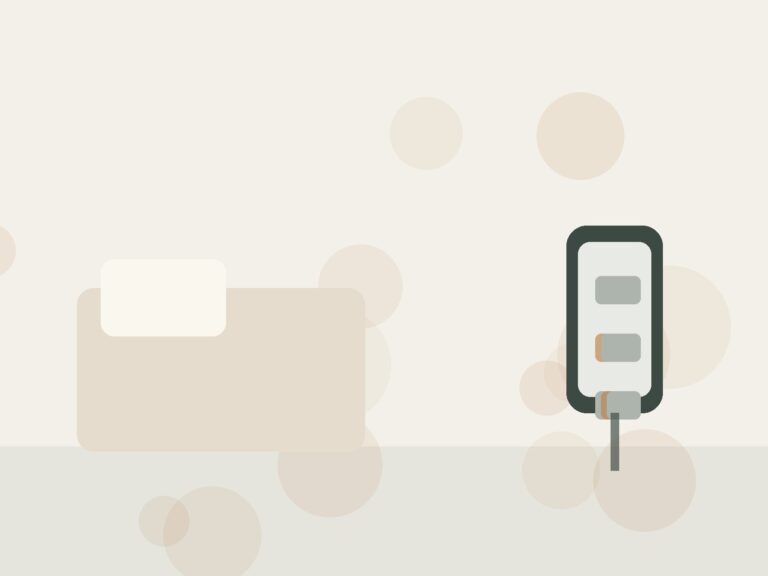
Face-down on the sofa is usually not enough; the device is still within the same automatic reach. Put it on a shelf, side table behind you, charging station, or another place that requires standing. Do this before playback, not after you have already picked it up twice. If you use the phone as the remote, consider whether the physical remote can handle the basic controls during the show.
Create a short pre-show check window
A useful compromise is to spend two deliberate minutes before the episode answering anything that genuinely needs attention, then park the device. This reduces the “maybe I missed something important” justification that often appears five minutes later. If you are expecting an urgent call, keep that channel available and silence the rest. The Notification Audit & Reset Checklist can help create that exception cleanly.
Plan for the moments when attention naturally drops
The phone usually appears during transitions: ads, recaps, slow scenes, loading screens, or familiar intros. Decide what your hands will do in those moments. Take a drink, adjust your seat, talk to the person watching with you, or simply let the scene be slow. If you repeatedly need another activity, that may be information about the show rather than a failure of discipline.
Use a “finish the episode first” rule for things you want to look up
TV creates legitimate curiosity: an actor, location, historical fact, recipe, soundtrack, or product. Instead of opening the phone immediately, keep a scrap of paper nearby and jot one word. Look up the list after the episode. This keeps curiosity while preventing a thirty-second search from becoming an open-ended browsing session.
| Situation | One-screen response | Exception |
|---|---|---|
| Message arrives | Wait until episode ends or planned pause | Answer immediately only if the sender/context is genuinely urgent |
| Need to look something up | Write a one-word note | Use phone if the information is necessary to understand the program |
| Ad break | Stay with the room, get water, stretch | Check a defined task, then return phone to parking place |
| Casting problem | Use phone for control only | Close other apps before putting it back |
Treat “I will only check once” as a design problem
If one check repeatedly becomes several apps, add friction around the first unlock instead of blaming the later drift. Move high-drift apps off the Home Screen, reduce badges, or use a Focus/Do Not Disturb mode for the viewing window. For broader changes that preserve useful apps, see how to reduce screen time without deleting everything.
Measure the experience you care about
For one week, count viewing sessions or episodes completed without an unplanned phone check. Then ask two questions: Did you remember the show better? Did the session feel more relaxing or more annoying? If one-screen viewing improves neither enjoyment nor attention, you may not need the rule for that type of content. Use behavior evidence, not a purity standard.
When watching with other people
Shared viewing adds a social layer. Rather than policing everyone, make the rule about your own device or agree on a simple group convention for a specific film or episode. A phone basket can work for some households and feel ridiculous for others. A side table with sounds off is often enough. The arrangement should support the shared activity, not become the main event.
Keep the rule narrow
A good maintenance rule can be as small as “films and new episodes are one-screen; background TV is not.” That distinction keeps the system realistic. If the phone still dominates most evenings outside television, use the Screen Time Calculator and the broader screen-time guide to decide whether a different pattern needs attention.
Choose what “watching TV” means before the program starts
Second-screening is easier to change when the television session has a clear purpose. Are you watching a film you chose, keeping a sports game on while doing chores, or using familiar television as background noise? Those are different situations. For a film or episode you genuinely want to follow, try a one-screen rule. For background viewing, accept that your attention is divided and decide whether the television or the phone is actually the activity you want. Naming the mode avoids pretending every program deserves full concentration.
Handle commercials, halftime, and slow moments deliberately
Many phone pickups begin at predictable pauses: an ad break, halftime, a loading screen, or a scene that drags. Prepare a non-screen option for those gaps instead of relying on restraint. Stand and stretch, refill water, put a cup in the dishwasher, talk to the person beside you, or simply remain seated. If you intentionally want to check a message during a break, do that one task and put the phone back before the program resumes. The key is preventing a twenty-second check from becoming an unrelated ten-minute feed.
Make a shared rule when you watch with another person
A household rule works better when it is negotiated rather than silently enforced. One person may be comfortable with occasional messages while another finds phone use distracting. Agree on something concrete: phones on a side table during films, messaging allowed during pauses, or one person may use a device without expecting the other to keep explaining missed scenes. The purpose is to protect the experience you both chose, not to police each other. Shared expectations also remove the awkwardness of one person trying to change while the other keeps handing them posts to view.
Separate companion information from endless browsing
Sometimes the phone genuinely adds to viewing: checking an actor, looking up a rule during a game, or finding a location mentioned in a documentary. Write the question down and look it up after the episode, or search it directly and close the browser. A specific lookup has a stopping point; opening a social feed does not. If companion searches repeatedly pull you away, keep a scrap of paper near the couch for questions. You may be surprised how many no longer matter by the end.
Test the environment for one week
For seven evenings, park the phone in the same place whenever you intentionally watch something. Keep necessary calls available and retrieve the device when the program ends. Note three things: whether you remembered the program better, whether the urge to check weakened after the first few minutes, and whether you actually enjoyed the viewing more. If the television itself feels dull without the phone, that is useful information. You may prefer shorter viewing sessions or a different activity rather than forcing yourself to concentrate on content you do not value.
Use the result to simplify, not create another rulebook
After the experiment, keep the smallest change that made a difference. Perhaps phones stay off the couch during movies but not during casual sports. Perhaps you stop television entirely on nights when you mainly want to scroll. A flexible boundary is stronger than a rule that breaks every evening. If simultaneous screen use is only one part of a larger pattern, review your daily usage with the screen-time guide and move the intervention to the contexts that account for most of your unplanned time.
The closest next step for readers dealing with reduce phone use while working from home is How to Reduce Phone Use While Working From Home. Use it when that narrower trigger is more relevant than extending the system on this page.
If your difficulty shifts from this page’s main problem to what to do instead of checking your phone while waiting, continue with What to Do Instead of Checking Your Phone While Waiting. That guide treats the adjacent situation separately rather than adding more rules here.
Questions about phones and television time
What if I only scroll during shows I do not care about?
That may be a signal to change the television choice rather than force attention. If a program is background noise, decide that openly and choose one primary activity. You might turn the TV off and use the phone intentionally, or keep the program on while doing a non-screen task. The problem is not divided attention by definition; it is defaulting into two endless streams without choosing either.
Can I use my phone during sports?
Yes, if that matches how you enjoy the event. You might allow checks between periods or during commercial breaks while keeping the phone down during active play. A sport has natural boundaries that make this easier than an episode with constant narrative. If you repeatedly miss important moments and feel dissatisfied, tighten the boundary. Let the experience you want determine the rule.
What if my partner keeps using their phone?
Change your own setup first. Put your device in its parking place and explain that you are trying to follow the program more closely, without asking the other person to copy you. If their screen or repeated questions disrupt your viewing, discuss a shared movie rule separately. Personal behavior change is usually easier when it is not presented as a judgment of someone else’s habits.
Should I disable every notification before watching?
Not necessarily. Keep genuinely important calls or alerts and mute the optional ones that repeatedly pull you out of the program. The notification audit can help if you are unsure which are useful. A boundary that preserves necessary communication is more likely to last than a total shutdown you override every evening.